
Video Remote Interpreting
3 Bridges provides Video Remote Interpreting with RID and BEI certified ASL interpreters, available 24/7 nationwide across all 50 states. No special software or app downloads required — just connect through your existing video platform.
HIPAA COMPLIANT
ADA COMPLIANT
100% CERTIFIED
SECTION 504
ALL 50 STATES
WHAT IS VRI?
What Is Video Remote Interpreting (VRI)?
Certified ASL Interpreting, Available Nationwide
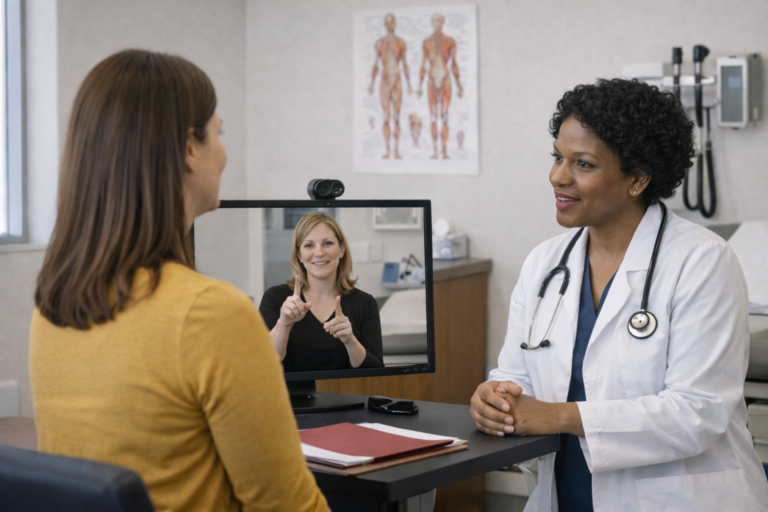
Video Remote Interpreting (VRI) connects you with a certified ASL interpreter through live video when an on-site interpreter isn’t immediately available. Our RID and BEI certified interpreters join your existing video platform — Zoom, Microsoft Teams, Google Meet, WebEx, or any other — to provide real-time American Sign Language interpreting for Deaf and hard-of-hearing individuals. 3 Bridges delivers VRI services across all 50 states, 24 hours a day, 7 days a week.
Unlike VRS (Video Relay Service), which is a free phone-based service for Deaf individuals, VRI is a professional communication accommodation provided by hospitals, businesses, schools, courts, and government agencies nationwide. Organizations use Video Remote Interpreting to meet ADA, HIPAA, and Section 504 compliance requirements while ensuring effective communication access during medical appointments, legal proceedings, workplace meetings, IEP conferences, and virtual events.
WHY CHOOSE VRI?
Benefits of Video Remote Interpreting
VRI offers flexibility, cost savings, and immediate accessibility for organizations of all sizes, anywhere in the United States.

Cost Effective
No travel time, mileage charges, or parking fees, pay only for interpreting time

Rapid Access
Connect with interpreters quickly, even for short-notice or same-day requests

Certified Quality
All interpreters hold RID national and BEI Texas state certifications

Nationwide Reach
Access interpreters in all 50 states from a single trusted provider
On Your Schedule
Same day and short notice requests welcome, including evenings and weekends
Any Device
Works on computers, laptops, tablets, or smartphones with a camera
Fully Compliant
Meets HIPAA, ADA, and Section 504 requirements for communication access

Specialized
Medical, legal, educational, and technical interpreters matched to your needs
GETTING STARTED
How VRI Works
From request to connection in four simple steps.
1
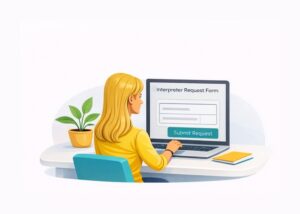
Submit a Request
New customers complete our Rates & Policies form. Existing customers use the Interpreter Request form.
2

We Match Your Interpreter
3 Bridges matches your assignment with a certified interpreter based on skill level, topic, and Deaf preference.
3
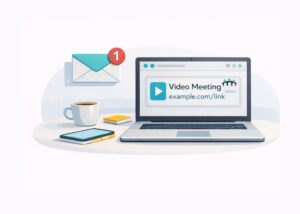
Share or Receive a Link
We send you a meeting link, or your interpreter joins your existing video platform. No special software needed.
4
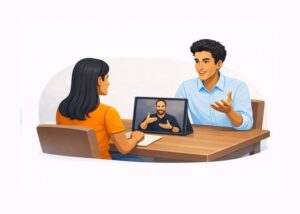
Connect & Communicate
Join the video call. The interpreter facilitates full dialogue between Deaf and hearing participants.
WHO WE SERVE
Industries We Serve
3 Bridges provides VRI services for organizations across all industries throughout the United States.
🏥
Healthcare & Telehealth
Hospitals, clinics, telehealth platforms, mental health services, emergency rooms, and patient consultations. HIPAA compliant for all medical settings.
💼
Business & Corporate
Team meetings, HR consultations, employee accommodations, training sessions, job interviews, and workplace accessibility compliance.
🎓
Education (K-12 & Higher)
Virtual classrooms, parent-teacher conferences, IEP meetings, university lectures, tutoring sessions, and campus events.
🏛️
Government & Public Sector
Federal, state, and local agencies, public meetings, social services, administrative hearings, and Section 504 compliance.
⚖️
Legal Services
Attorney-client meetings, depositions, legal consultations, and administrative proceedings. Court-certified interpreters available.
🎤
Events & Conferences
Webinars, conferences, online presentations, town halls, and live-streamed events with real time interpretation.
PLATFORM CAPABILITY
Works With Any Platform
Our interpreters join your existing video meeting — no downloads, no installs, no proprietary software.




Zoom
Microsoft Teams

Google Meet

Webex

GoToMeeting
Google Classroom
✓ Any Video Platform — No proprietary app or software required, ever.
Tips for Effective VRI Sessions
Follow these best practices to get the most out of your VRI experience.
Speak Directly to the Deaf Individual
Look at and address the Deaf person, not the interpreter. Use “you” instead of “he/she/they as you speaking directly to the Deaf individual(s).
Ensure Proper Lighting
Position the camera with good lighting on the Deaf individual. They need to clearly see the interpreter’s face, hands, and facial expressions.
Use a Stable Internet Connection
A wired connection or strong WiFi (minimum 3+ Mbps) ensures smooth, uninterrupted communication.
Position the Screen Properly
Place the screen where the Deaf individual can easily see the interpreter without straining. Eye-level positioning works best.
Speak at a Natural Pace
Speak naturally but allow brief pauses. The interpreter may need a moment to convey complex information accurately.
Test Your Setup in Advance
Check your camera, microphone, speakers, and internet connection before the session begins.
📘 For detailed setup instructions and session best practices, visit our VRI Guidelines →
VRI FAQs
What is Video Remote Interpreting (VRI)?
Video Remote Interpreting (VRI) connects you with a qualified ASL interpreter via secure video technology on a computer, tablet, or smartphone. The interpreter joins remotely while the Deaf and hearing individuals are in the same physical location, enabling real-time interpretation without an on-site interpreter.
VRI is useful when an on-site interpreter isn’t available on short notice, for shorter appointments, or for locations where on-site interpreters are scarce. 3 Bridges VRI services are HIPAA compliant and suitable for healthcare settings.
When should I use VRI vs. an on-site interpreter?
On-site ASL interpreting is preferred for: appointments longer than 1 hour, complex medical procedures or consultations, mental health and therapy sessions, legal proceedings, situations with multiple Deaf individuals, settings with poor technology infrastructure, and whenever the Deaf individual requests on-site services.
VRI works well for: shorter routine appointments (under 1 hour), situations where on-site interpreters aren’t available, telehealth appointments, urgent/same-day needs, and locations with reliable high-speed internet. Always defer to the Deaf individual’s preference when possible.
What equipment do I need for VRI?
Internet: A dedicated high-speed broadband connection (wired Ethernet preferred). Internet speeds should be at least 1.5 Mbps minimum (up and down), with 3-5 Mbps recommended for reliable HD quality.
Hardware: A laptop, desktop, or tablet supporting HD video (720p or higher at 30 frames per second). The screen must be large enough for the Deaf individual to clearly see the interpreter.
Environment: Good lighting on all participants (no backlighting), a quiet environment with minimal background noise, and backup equipment or mobile hotspot in case of technical issues. Trained personnel should be available to set up and troubleshoot VRI promptly.
Who will provide the video link for VRI?
3 Bridges can provide the business or organization with a video link for the scheduled assignment. We use secure, HIPAA compliant video platforms.
Alternatively, if you already have a video meeting scheduled (Zoom, Microsoft Teams, Webex, etc.), you can share that link with us and we’ll pass it along to the ASL interpreter. Let us know your preference when booking.
When is VRI not appropriate?
VRI may not be appropriate in several situations:
- Emergency or trauma situations where the patient is in distress
- Complex medical procedures where the patient cannot view a screen
- Mental health appointments requiring the rapport of an on-site interpreter
- Locations with poor technology infrastructure or unreliable internet
- Settings with multiple Deaf individuals
- When the Deaf individual has specialized language needs or requires a Certified Deaf Interpreter (CDI)
- When the Deaf individual prefers or requests on-site services
3 Bridges can help determine whether VRI or on-site interpreting is most appropriate for your situation at the time of booking.
Check out our VRI Guidelines.
Is your VRI platform HIPAA compliant?
Yes. 3 Bridges VRI uses encrypted, HIPAA compliant video technology. All our interpreters complete HIPAA training and sign confidentiality agreements. We follow strict protocols to protect patient health information.
We can execute Business Associate Agreements (BAAs) with healthcare providers upon request. Contact us if you need a BAA for your organization.
What should I do if VRI isn't working during an appointment?
If you experience technical difficulties during VRI:
- Check your internet connection and try switching to a wired connection if available
- Close other applications that may be using bandwidth
- Try refreshing the video connection or rejoining the meeting
- Have a backup device or mobile hotspot available
- Contact 3 Bridges immediately for troubleshooting assistance
If technical issues cannot be resolved, the appointment may need to be rescheduled with an on-site interpreter. This is why having adequate technology and backup plans is essential for VRI.
How do I set up VRI services with 3 Bridges?
To set up VRI services:
- New clients must review our VRI Rates and Policies and complete the billing information.
- Submit an interpreter request through our online form with date, time, and assignment details.
- We’ll confirm your request and provide a video link (or use your provided link).
- At the scheduled time, all parties join the video meeting and the interpretation begins.
What is the minimum booking time for VRI?
VRI has a one hour minimum since there is no travel involved, compared to the two hour minimum for on-site interpreting. Services beyond the first hour are billed in 15 minute increments.
VRI’s shorter minimum makes it cost effective for brief appointments where on-site interpreting would be more expensive.
Can VRI be used for telehealth appointments?
Yes, VRI is well suited for telehealth appointments. The interpreter can join the same video platform used for the telehealth visit (Zoom, Teams, etc.) and interpret between the healthcare provider and the Deaf patient.
Ensure all parties have adequate internet connections and that the platform supports multiple video participants. Let us know when booking that the assignment is for telehealth so we can prepare accordingly.
Need More Help?
Explore Our Full FAQ
Our full FAQ page covers interpreting, billing, scheduling, legal services, and more.
Ready to Schedule a Video Remote Interpreter?
Contact us today to discuss your ASL Interpreting needs. New customers start by completing our Policies and Agreement forms to get started